
Radar 📡
What is moving right now in each section, told our way.
Crypto News 🪙
50 million visitors and a dog. ⚡
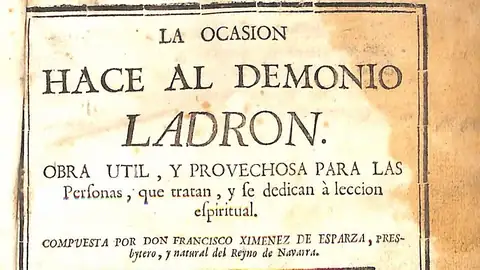
A website running unpatched PHP dared the internet to steal $2,000 in Bitcoin, and the “thief” walked away with the wrong key
The “Steal My Bitcoin” site was built to show that the PHP2Shell flaw wasn’t realistically exploitable: it left a server unpatched and hid the key to a wallet holding about $2,000 in Bitcoin. According to Cointelegraph, it had gone 25 hours without being hacked, though it was periodically knocked offline by traffic and probing attempts.
Opportunity makes the thief!!

The NBA's Instagram was hacked to promote a coin that peaked at a $3,500 market cap
On October 14, the NBA's official Instagram account briefly displayed a post reading “Where basketball passion meets blockchain innovation. Join the community and explore $NBA today. BUY NOW!”, along with the contract address of a memecoin created that same day on Pump.fun. The post was deleted quickly, and the league did not immediately respond to requests for comment.
A triple worth $3,500!
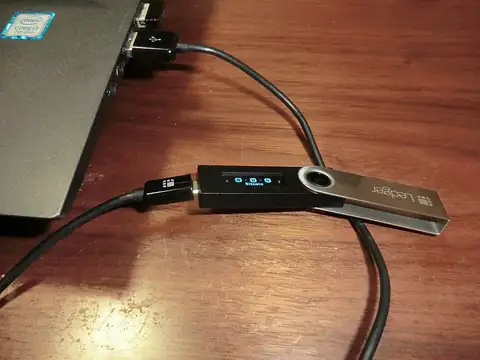
Ledger wallets from an Asian reseller arrived with a tenant inside: an implant that has drained over $86 million
On October 9, users in Southeast Asia began reporting emptied wallets. On-chain analyst Specter estimates more than $86 million stolen across Bitcoin, Ethereum and Tron, and everyone affected had bought their Ledger from the same reseller, CryptoBilis, which operates in Indonesia, Malaysia and the Philippines. Ledger has asked the shop to halt sales and shipments while it investigates.
A cold wallet, the kind that leaves you frozen.
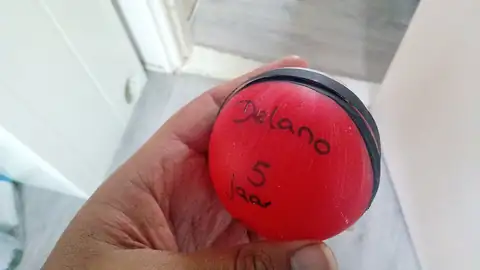
A hacker steals $53 million in crypto and blows it on Pokémon and Magic cards
Jonathan Spalletta, 36, from Rockville, Maryland, has been found guilty by a Manhattan jury of computer fraud and money laundering. In April 2021 he exploited two flaws in Uranium Finance's smart contracts: first he pulled out $1.4 million and negotiated to keep $386,000 as a supposed “bug bounty,” then twenty days later he took another $53.3 million, which sank the platform.
Gotta catch 'em all!!

Kromix Messi
The English Premier League, the richest football league on the planet, signed a $163 million sponsorship deal with Sorare, the crypto football trading-card game backed by Messi. The problem: the UK's National Crime Agency (NCA) has frozen $13.5 million of the first payment as part of an investigation into whether that money has something shady behind it.
Baller!!

A guy with a moustache who doesn't exist launches his own token and hits $8.8 million
An Instagram character in a checkered suit, bowl haircut and curled moustache spends his days silently throwing punches at the air, with no real face behind him, no one actually there. His name is Jean Phil, and within days he racked up 228,000 followers. That was enough for someone, probably whoever invented him, to slap a token in his bio, and the market, true to its tradition of buying anything that blinks, pushed it to an $8.8 million market cap on barely $415,000 of real liquidity underneath. In other words: one hard shove and this collapses on its own.
We're like this!!
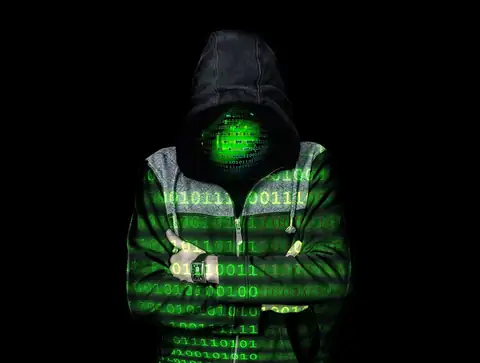
A convicted dark web kingpin donated $45 million in bitcoin to the Czech Justice Ministry that had prosecuted him, and prosecutors are now seeking 20 years in prison for him and 6.5 years for the minister who accepted the gift
Tomáš Jiřikovský, convicted in 2017 of embezzlement, drug trafficking and illegal weapons possession after running the dark web marketplaces Sheep Marketplace and Nucleus Market, was released from prison in 2021 and reclaimed the bitcoin that had been seized from him at his arrest. Since it had shot up massively in value by then, in March 2025 he donated 30% of that bitcoin, worth about 960 million Czech koruna, roughly $45 million, to his own country's Justice Ministry.
A philanthropic donation, don't make me laugh!

Peru's Economy Ministry was hacked to promote a fake token called $HYLO, promising an allocation to its followers
On September 14, 2026, Peru's Ministry of Economy and Finance confirmed its official X account had been compromised by crypto scammers, who used it to promote a fake token called $HYLO. The fraudulent posts urged followers to check whether they had a reserved "allocation" of tokens ahead of a supposed claim-and-trading launch set for September 25.
The mountain of the 7 tokens.

Help us keep on biting
It's sad to have to ask, but it's sadder to have to steal. If you want to chip in your grain of sand and help us become even more radiant beings of light, you can donate through the links below. Remember that sharing is loving, and donating is loving like crazy.
Donate if you're a dog with what it takes.
It's happening 💥
50 million visitors and a dog. 👞

A driver takes his car up the steps of a church in Cholula, falls asleep at the top and blames the GPS: “I was just following directions”
A viral video shows a blue sedan “parked” at the top of the staircase of the Sanctuary of the Virgin of Guadalupe in San Pedro Cholula (Puebla), right next to the temple doors. According to witnesses, the driver, an older man who was allegedly drunk, fell asleep when he could go no further.
Turn right: God!!

An indie developer allegedly faked a $200 AI-clone extortion to boost wishlists, and now real scammers are copying the trick
On October 18, Takashi Mochibe, creator of the tactical RPG “Dragon’s Chronicles”, posted on X that he had received an email demanding $200 to stop the sender from cloning his game with AI and releasing it first on Steam. His reply: “Isn’t that pretty cheap?”. He added that the email included no video or file proving the clone existed.
Clone!!

Passenger caught at Miami airport with ten live birds hidden in his underwear
A 40-year-old man arriving from Havana told customs he wasn't bringing any animals. A search of his carry-on and fanny pack turned up nothing, but officers noticed an “unexplained bulge” around his waist and pelvis, and that he seemed nervous. A pat-down found six clear tubes wrapped in tape, tucked into pockets sewn into his underwear.
The pants are happy!!

A man sneaks into a stranger's pool at 3am to spend ten minutes “intensely interacting” with a rubber duck, then steals the towels on his way out
In Savannah, Georgia, home security cameras caught an intruder sneaking into a backyard on Whitefield Avenue between 2:15 and 5:30 am on September 1st. The man took a dip in the pool, moved to the hot tub, and once there spent over ten minutes doing what police officially described as “intensely interacting” with the house's rubber duck.
Rubber duck debugging.

X sues its own users for running a bot farm posing as Bitcoin 'news outlets'
X has filed suit against Vivek Kumar Sen and Zmyang Sherpa for operating a network of at least nine accounts that posted near-identical Bitcoin headlines within seconds of each other, each one pretending to be a different independent crypto news outlet. The accounts liked, replied to, and reposted each other in a coordinated fashion to artificially inflate engagement and collect payouts from the platform's own creator fund.
Xorizos!!
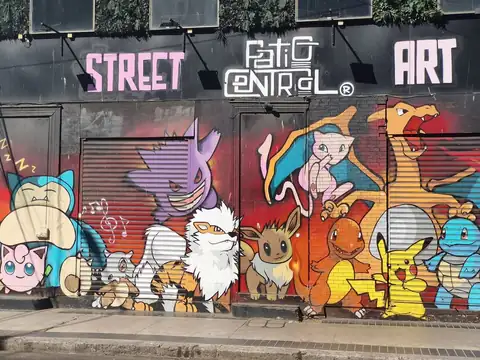
GTA Pokémon Wars!!
In the early hours of September 16, 2026, five masked men showed up at Sovereign Cards in North Lakes, north of Brisbane, Australia, determined to grab the shop's most valuable Pokémon card collection. Security cameras caught them hammering away at the entrance for several minutes, never managing to break a hole big enough to squeeze through. Police Superintendent Christopher Toohey confirmed entry was not gained, but that the gang was indeed after the store's high-end cards. Eventually the group gave up and fled empty-handed in a waiting car.
Fire, water, grass, sledgehammer.

Michael Saylor gets into a fistfight with Tom Lee in the middle of Times Square.....
On August 28, 2026, Strategy's chairman posted an AI-generated video on X in which his own avatar walks through Times Square spouting bitcoin lines like "apex property" and "perfected money," before the scene turns into an exaggerated brawl: the synthetic Saylor strikes and shoves the character playing Tom Lee, Fundstrat co-founder and well-known ethereum bull, who goes flying backward. Saylor captioned the video, "Sorry, @fundstrat. There is no second best."
Mortal Kombat Friendship!!!

A mountain marmot snuck under a car hood, drank the radiator fluid, passed out, and woke up hundreds of miles from home in the middle of San Francisco
Residents of San Francisco's Mission District found a yellow-bellied marmot wandering Albion Street this week in September 2026, a species that normally lives in mountain burrows around places like Lake Tahoe, hours away. Urban wildlife rescuers believe the animal likely crawled under the hood of a car returning from Tahoe or the Burning Man festival, drank the radiator's coolant, something these rodents commonly do since they gnaw on wires and hoses, and passed out for the ride, waking up far from home.
Ever since, the story just keeps repeating itself.
Help us keep on biting
It's sad to have to ask, but it's sadder to have to steal. If you want to chip in your grain of sand and help us become even more radiant beings of light, you can donate through the links below. Remember that sharing is loving, and donating is loving like crazy.
Donate if you're a dog with what it takes.
Our fake news of the week 🤥
The crypto world already generates enough ridiculous real content, but it also generates hoaxes. Every week we rescue one that circulated seriously, and explain why it's false. 👞
Up or down? 🎯
Five real crypto charts, the same for everyone each day. You see 60 days and bet on what happened over the next 30. Name and dates at the end.
This game needs JavaScript enabled.
Are you broke? 🧮
Don't worry, so are we. Calculate your imaginary investment in the panel and feel like a prince or a pauper, without risking a single cent.
Buy us a coffee 🤝
It's sad to have to ask, but it's sadder to have to steal. If you want us to become even more radiant beings of light, here's where your grain of sand goes. Sharing is loving, and donating is loving like crazy.
Who we are 🙋
Fnalysis was born in 1992 from the ashes of the celebrated entertainment magazine "Contrabando de Avellanas" ("Hazelnut Smuggling") — only four issues were ever printed before it leapt onto the internet, and with over 50 million visitors and a dog, Fnalysis.com became the most popular nonsense-and-crypto site in the entire Spanish-speaking universe.
Frequently asked questions ❓
Does Fnalysis give financial advice?
No. We show prices, tell verified stories, and are honest, but no investment decision should be based on a site like ours.
Where does the calculator's data come from?
From Binance's public API, directly in your browser.
How do you verify the "crypto news"?
Every story links to its original source: recognized media, official statements, or public records. If we can't verify it, we don't publish it.
How is Fnalysis funded?
Through voluntary reader contributions and nothing else. No ads, no sponsorships, no affiliate links: nobody pays us to be featured here.